How do you implement a React infinite scroll in a React application?
Pagination buttons work. But they break flow. Every click reloads the page or swaps content, and the user has to re-orient. Infinite scroll removes that f...
24 Apr 2024
Pagination buttons work. But they break flow. Every click reloads the page or swaps content, and the user has to re-orient. Infinite scroll removes that friction. As you scroll down, new content loads automatically. Social feeds, product catalogs, search results -- they all use it.
The concept is straightforward: detect when the user is near the bottom of the page, then fetch more data and append it.
The scroll event approach
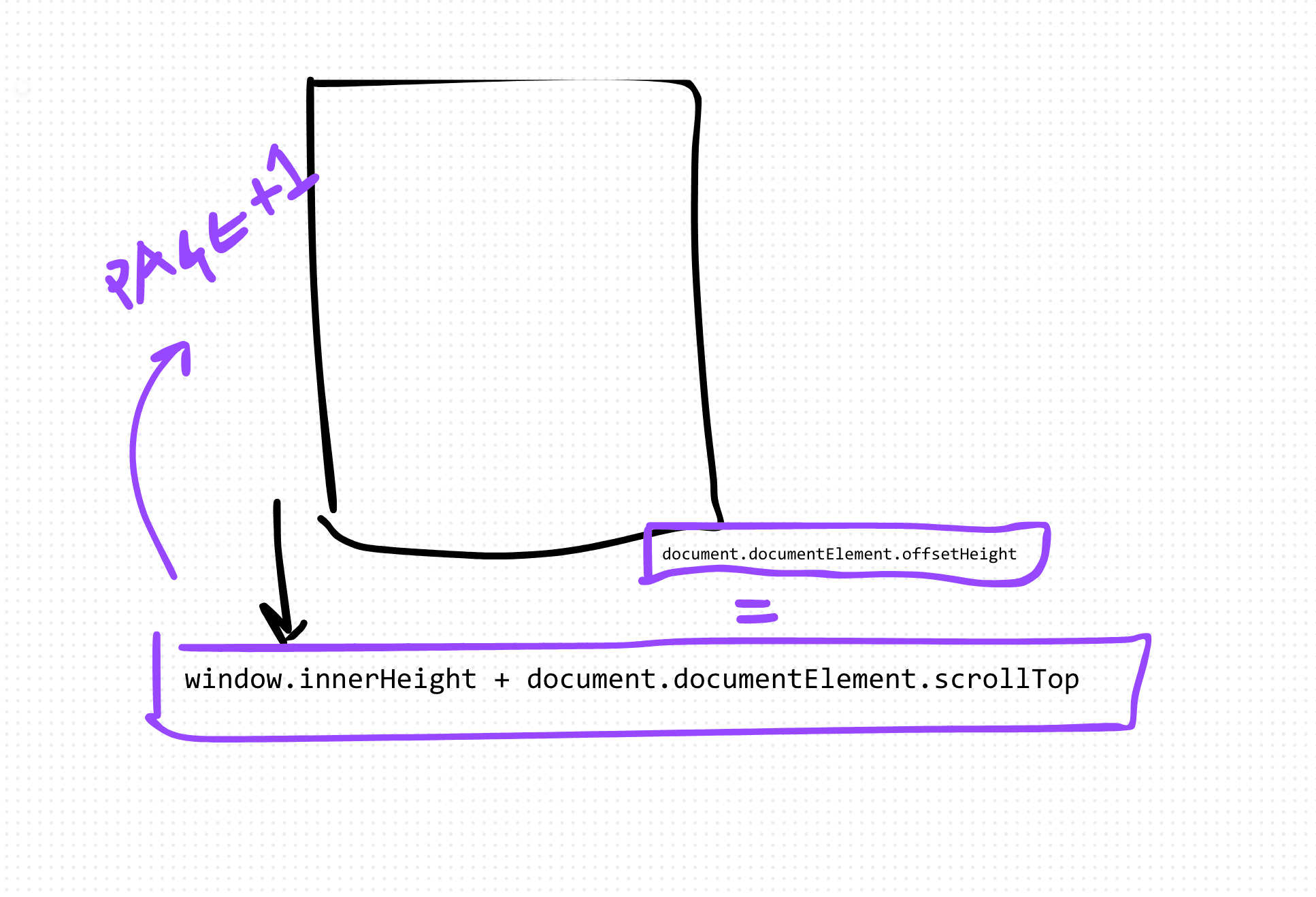
The simplest implementation listens for scroll events and checks the scroll position against the document height.
import React, { useState, useEffect } from 'react'

const InfiniteScrollList: React.FC = () => {
  const [items, setItems] = useState<string[]>([])
  const [page, setPage] = useState(1)
  const [loading, setLoading] = useState(false)

  const fetchItems = async (page: number) => {
    setLoading(true)
    const response = await fetch(`/api/items?page=${page}`)
    const newItems = await response.json()
    setItems(prev => [...prev, ...newItems])
    setLoading(false)
  }

  useEffect(() => {
    fetchItems(page)
  }, [page])

  useEffect(() => {
    const handleScroll = () => {
      if (
        window.innerHeight + document.documentElement.scrollTop
        >= document.documentElement.offsetHeight - 100
      ) {
        if (!loading) setPage(prev => prev + 1)
      }
    }

    window.addEventListener('scroll', handleScroll)
    return () => window.removeEventListener('scroll', handleScroll)
  }, [loading])

  return (
    <div>
      {items.map((item, index) => (
        <div key={index}>{item}</div>
      ))}
      {loading && <p>Loading...</p>}
    </div>
  )
}
This works. But scroll events fire dozens of times per second. You need to debounce or throttle them, or you'll burn CPU on every pixel of movement.
The better way: IntersectionObserver
Instead of listening to scroll events, place a sentinel element at the bottom of your list. Use IntersectionObserver to detect when it enters the viewport.
const observerRef = useRef<IntersectionObserver | null>(null)
const sentinelRef = useRef<HTMLDivElement>(null)

useEffect(() => {
  observerRef.current = new IntersectionObserver(entries => {
    if (entries[0].isIntersecting && !loading) {
      setPage(prev => prev + 1)
    }
  })

  if (sentinelRef.current) {
    observerRef.current.observe(sentinelRef.current)
  }

  return () => observerRef.current?.disconnect()
}, [loading])
Then add <div ref={sentinelRef} /> at the end of your list. No scroll math. No throttling. The browser does the work.
The trade-offs
Infinite scroll is great for browsing. It's bad for finding specific items. Users can't bookmark "page 7" or jump to the middle. If your data has a natural endpoint, consider showing a "Load more" button instead of auto-loading. It gives users control without losing the seamless feel.
Also watch your memory. If you load 10,000 items into the DOM, the page will crawl. For truly large datasets, combine infinite scroll with virtualization.
AI Transformation for Organisational Leaders
For directors, heads of function and founders: eight live evening sessions with Ehsan Gazar and Anoosh Zeighami, ending with a one-page 2027 AI plan for your organisation, built on a real workflow and ready for your leadership team.
$1,495, or $1,045 with code EARLYBIRD until 23 Oct.
View the live cohortKeep reading
- React 19 Performance Secrets, Concurrent Rendering, Suspense & Real Tips
- Lazy Loading in HTML and CSS: Enhancing Performance and User Experience
- Edge Rendering with Next.js and Cloudflare Workers
- Rolling Out an Internal UI Component Library
- What is a Design System According to Atlassian?
- CSS Houdini: New Possibilities for Your CSS