11 Refactoring Methods
Refactoring is one of those skills that separates good developers from great ones. I've shipped messy code. I've also inherited messy code. Both hurt. The...
14 Oct 2023

Refactoring is one of those skills that separates good developers from great ones. I've shipped messy code. I've also inherited messy code. Both hurt. The fix is the same: learn to refactor systematically.
Here are 11 methods I reach for regularly. Each one solves a specific readability or maintainability problem.
1. Extract Function
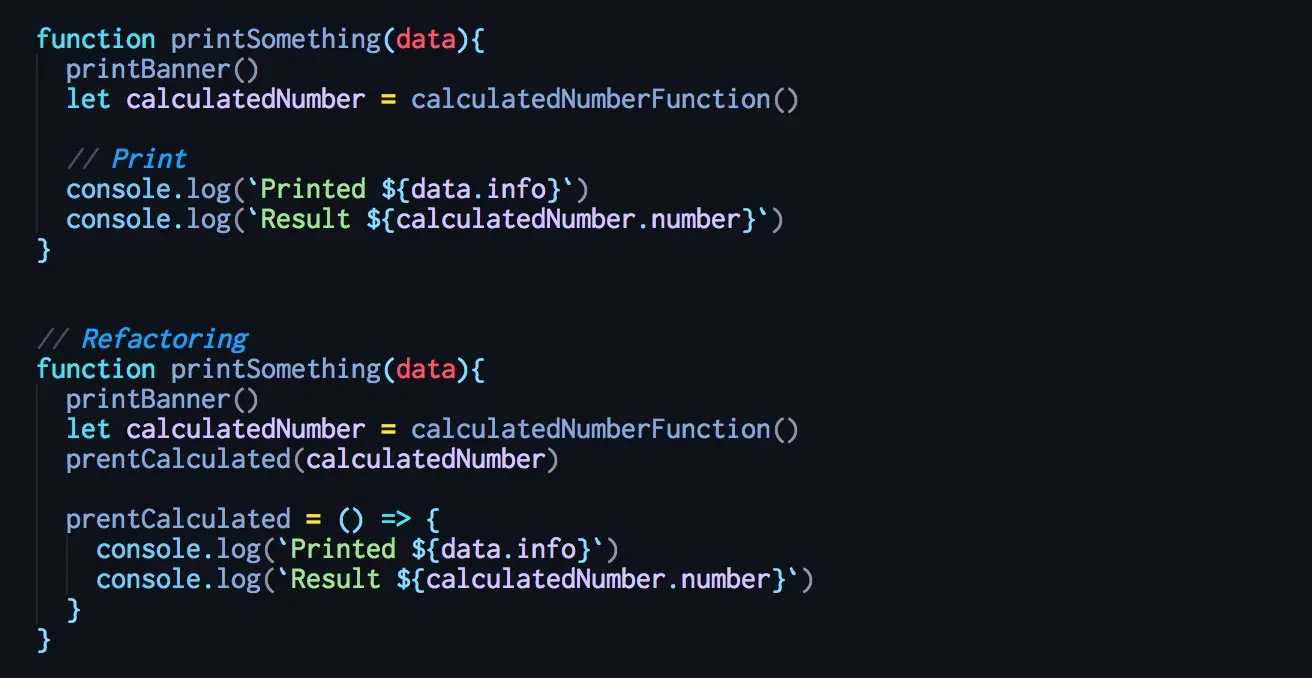
Take a chunk of code and move it into its own function. Name it by what it does, not how it does it.
Functions should fit on a screen. Small functions only work if names are good, so naming is the real skill here. It takes practice. But once you get it right, the code becomes self-documenting.
Benefit: Readability skyrockets. You can scan a parent function and understand the flow without reading implementation details.
Cost: Too many tiny functions can scatter logic. Use judgment — extract when the intent isn't obvious inline.
2. Inline Function
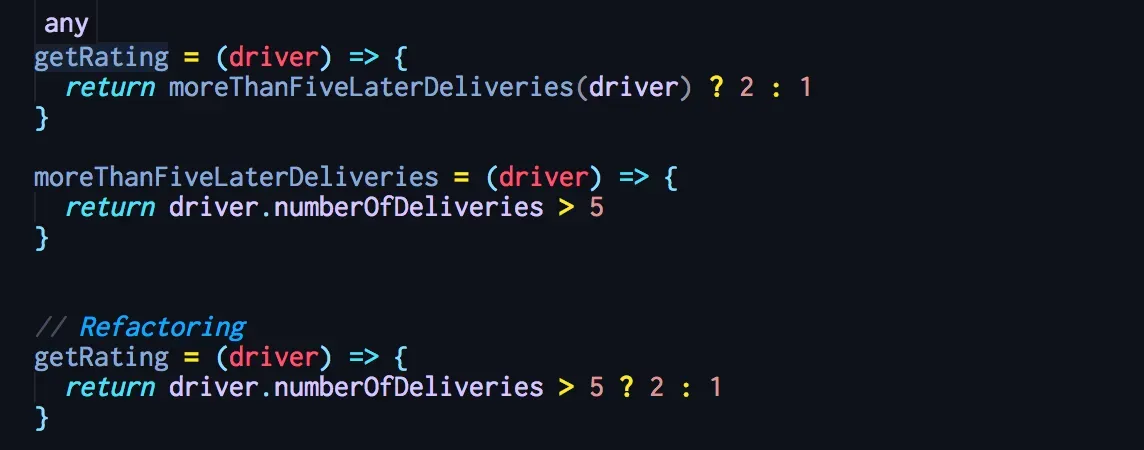
The opposite of Extract Function. When a function body is just as clear as its name — or when you're drowning in indirection where every function delegates to another — inline it.
I use this when I find myself jumping through five functions just to understand a simple operation. Sometimes removing a layer of abstraction makes things clearer.
Benefit: Reduces unnecessary indirection.
Cost: Can make parent functions longer. Only inline when the abstraction adds no value.
3. Extract Variable
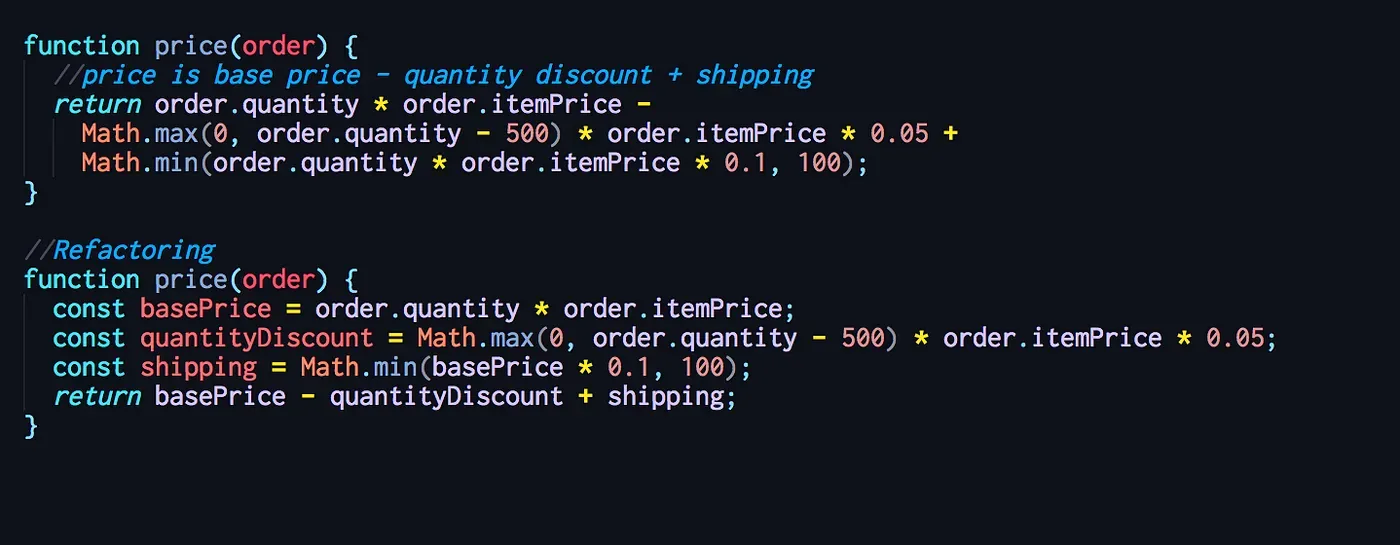
Complex expressions are hard to read. Pull part of the expression into a named variable. The name explains the purpose of that piece of logic.
If the same expression appears more than once, replace each occurrence with the variable. Test after each replacement.
Benefit: Makes complex logic scannable. The variable name communicates intent.
Cost: Adds lines of code. Don't extract obvious expressions — const isTrue = value === true helps nobody.
4. Inline Variable
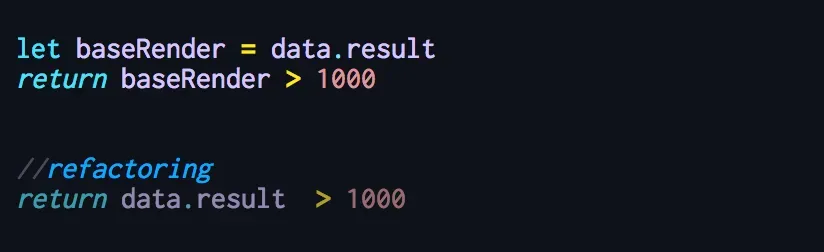
Sometimes a variable name doesn't say more than the expression itself. Or the variable blocks further refactoring of the surrounding code.
In those cases, remove the variable and use the expression directly.
Benefit: Less clutter when the variable adds no meaning.
Cost: Losing a descriptive name. Only inline when the expression is already self-explanatory.
5. Change Function Declaration
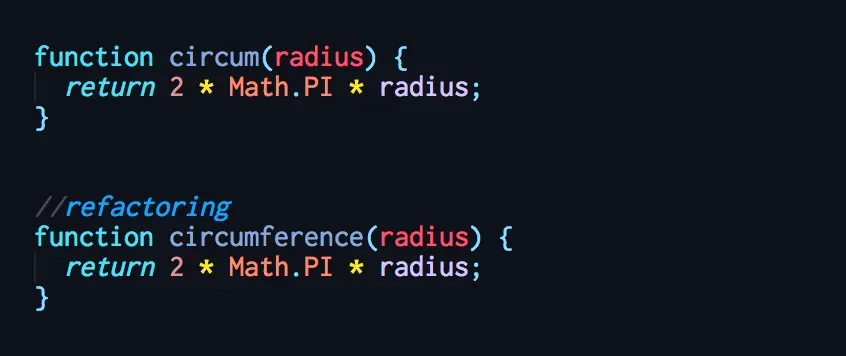
Function declarations are the joints in your system. Bad joints make everything harder — understanding what the code does, modifying it, extending it.
The most important part is the name. A good name lets me understand a function's purpose from its call site alone, without reading the implementation.
Renaming a function or changing its parameters is one of the highest-leverage refactors you can make. Do it early and often.
Benefit: Clearer APIs and interfaces across your codebase.
Cost: Requires updating every caller. In large codebases, use your IDE's rename tooling.
6. Encapsulate Variable
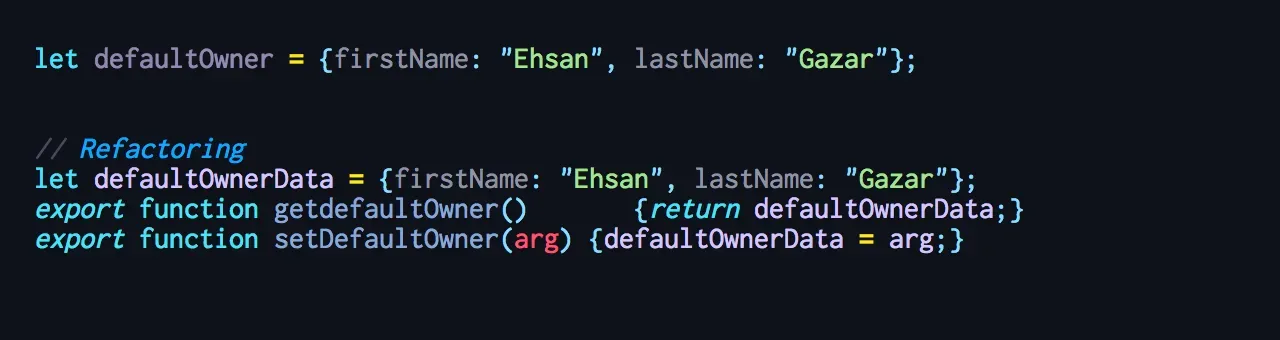
When data is accessed from many places, wrap it in getter/setter functions. Now you have a single point to monitor changes and control access.
This turns the hard problem of reorganizing data into the easier problem of reorganizing functions.
Benefit: Centralized control over widely-accessed data. Makes future refactoring safer.
Cost: Adds indirection. For simple local variables, this is overkill.
AI Transformation for Organisational Leaders
For directors, heads of function and founders: eight live evening sessions with Ehsan Gazar and Anoosh Zeighami, ending with a one-page 2027 AI plan for your organisation, built on a real workflow and ready for your leadership team.
$1,495, or $1,045 with code EARLYBIRD until 23 Oct.
View the live cohortKeep reading
- React 19 Performance Secrets, Concurrent Rendering, Suspense & Real Tips
- Lazy Loading in HTML and CSS: Enhancing Performance and User Experience
- Edge Rendering with Next.js and Cloudflare Workers
- Rolling Out an Internal UI Component Library
- What is a Design System According to Atlassian?
- CSS Houdini: New Possibilities for Your CSS