TypeScript Modules: ESM, CommonJS, and Module Resolution That Works
A module is a file that exports things other files can import. That's it. No magic.
23 Apr 2024
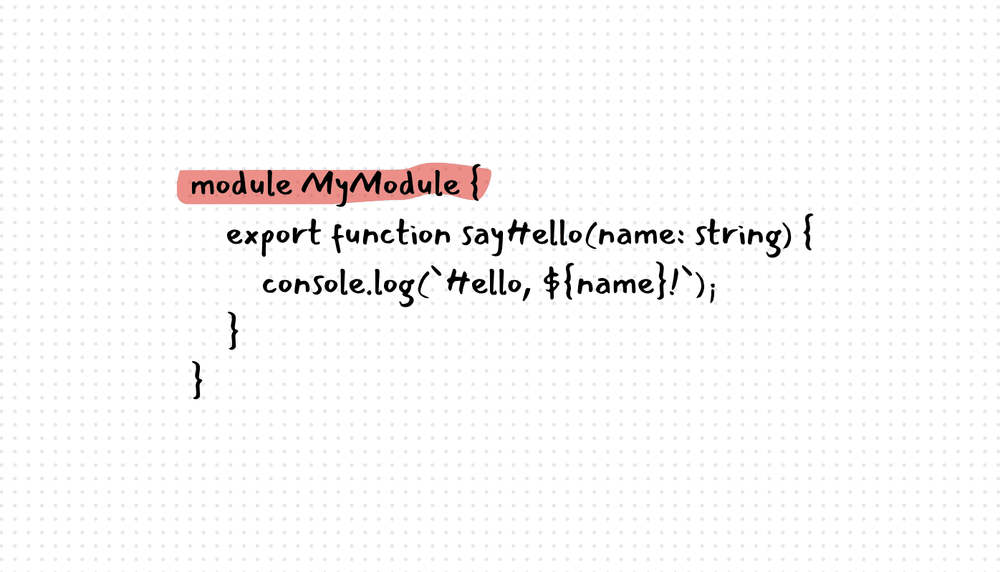
Most "modules in TypeScript" explainers stop at import and export. The syntax is the easy part. The hard part, the part that actually costs teams days, is module resolution: getting TypeScript, your bundler, and Node to agree on what a specifier like "./utils" or "lodash" points to. Here is the model that makes it click.
Two module systems, one language
JavaScript has two module formats, and TypeScript compiles to both:
- ES Modules (ESM):
import/export, static, the standard. Async-loaded, tree-shakeable, and now native in browsers and Node. - CommonJS (CJS):
require/module.exports, synchronous, the old Node default.
TypeScript source always uses ESM syntax, but what it emits and how it resolves imports depends on your config. The two settings that control this are module (what syntax comes out) and moduleResolution (how specifiers are looked up).
The interop trap
The pain is almost always ESM and CJS meeting. A default import from a CommonJS package can resolve differently depending on flags:
import express from "express"; // works or explodes depending on esModuleInteropSet "esModuleInterop": true. It makes default imports from CJS modules behave the way you expect, and it is on in every sane modern config. Without it, you end up writing import * as express from "express" and fighting the type system.
moduleResolution: pick the right strategy
This is the setting people get wrong. Modern TypeScript gives you two that matter:
{
  "compilerOptions": {
    "module": "esnext",
    "moduleResolution": "bundler",
    "esModuleInterop": true,
    "verbatimModuleSyntax": true
  }
}bundler: use this when a bundler (Vite, esbuild, webpack) or a framework owns the final build. It resolves the way bundlers do, so you do not need file extensions in imports and it reads theexportsmap inpackage.json.nodenext: use this when Node runs your output directly. It enforces Node's real ESM rules, which means explicit.jsextensions in relative imports (yes,.jseven though the file is.ts) and respect for the"type"field inpackage.json.
Choosing the wrong one produces confusing "cannot find module" errors that no amount of fiddling with paths will fix, because the resolver is applying different rules than your runtime.
The .js extension that surprises everyone
Under nodenext, this is correct:
// file: server.ts, importing sibling ./routes.ts
import { routes } from "./routes.js";
You import .js even though the source is .ts, because you are describing the emitted output that Node will actually load. It looks wrong and it is right. Under bundler resolution you omit the extension entirely. Knowing which world you are in removes most module confusion.
verbatimModuleSyntax and type-only imports
When you import something used only as a type, say so:
import type { User } from "./types";
import { type Role, hasPermission } from "./auth";
verbatimModuleSyntax enforces this. It guarantees TypeScript never accidentally keeps or drops an import in a way that changes runtime behavior, which matters enormously for tree shaking and for type-stripping runtimes that erase types without a full type-check.
The package.json side
If you ship a package, the exports field is now the source of truth for what consumers can import and which format they get:
{
  "type": "module",
  "exports": {
    ".": {
      "types": "./dist/index.d.ts",
      "import": "./dist/index.js",
      "require": "./dist/index.cjs"
    }
  }
}
"type": "module" makes .js files ESM by default. The exports map lets you serve ESM to modern consumers and a CJS fallback to old ones, with the correct types for each. Getting this right is the difference between a package that "just works" and one that generates resolution bug reports.
Wrapping up
Module syntax is trivial; module resolution is where the time goes. The mental model that fixes it: module controls the output format, moduleResolution must match your runtime (bundler when a bundler builds, nodenext when Node runs the output), and esModuleInterop plus verbatimModuleSyntax keep ESM and CJS from fighting. Decide who loads your code, set those four flags to match, and the "cannot find module" errors stop.
Production-Ready Systems with LLMs and Agents
A live Maven cohort for engineers: eight 90-minute sessions where you build LLM and agent systems that survive real traffic, real cost and real failure.
Cohort 2 is running now. Join the waitlist for the next cohort.
View the live cohortKeep reading
- TypeScript Anti-Patterns That Cost You Twice: Build Time, Runtime, and the Interview
- The Frontend Toolchain Is Now Written in Rust and Go. What That Means for You
- oxlint vs ESLint: Why I Replaced ESLint with oxlint
- SystemJS Is Dead. Native ESM Finally Won.
- Replace Axios with a Simple Custom Fetch Wrapper (Production-Ready Guide)
- Stop Shipping ChatGPT Wrappers. Ship an Agent in TypeScript, or Don't Bother.