Developing Authentication with Cognito User Pool and JavaScript Apps
Every app needs login and signup. Every backend developer has built it from scratch at least once. And every time, the same question lingers: is this actu...
14 Oct 2023
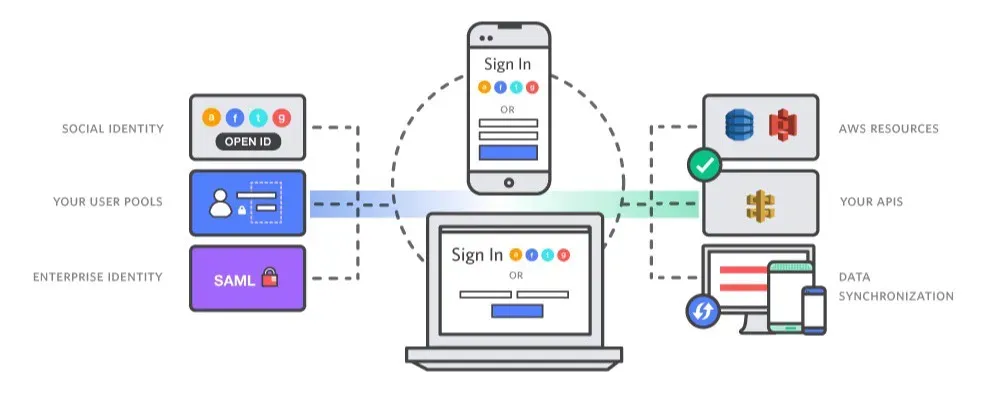
Every app needs login and signup. Every backend developer has built it from scratch at least once. And every time, the same question lingers: is this actually secure?
AWS Cognito takes that question off your plate. It handles user pools, OAuth, MFA, and token management as a managed service. You focus on your app. Amazon handles the security infrastructure.
Amazon Cognito lets you add user sign-up, sign-in, and access control to your web and mobile apps quickly and easily. Amazon Cognito scales to millions of users and supports sign-in with social identity providers, such as Facebook, Google, and Amazon, and enterprise identity providers via SAML 2.0.
Here's how I set up a Cognito User Pool and wired it into a React app.
Setting up the User Pool
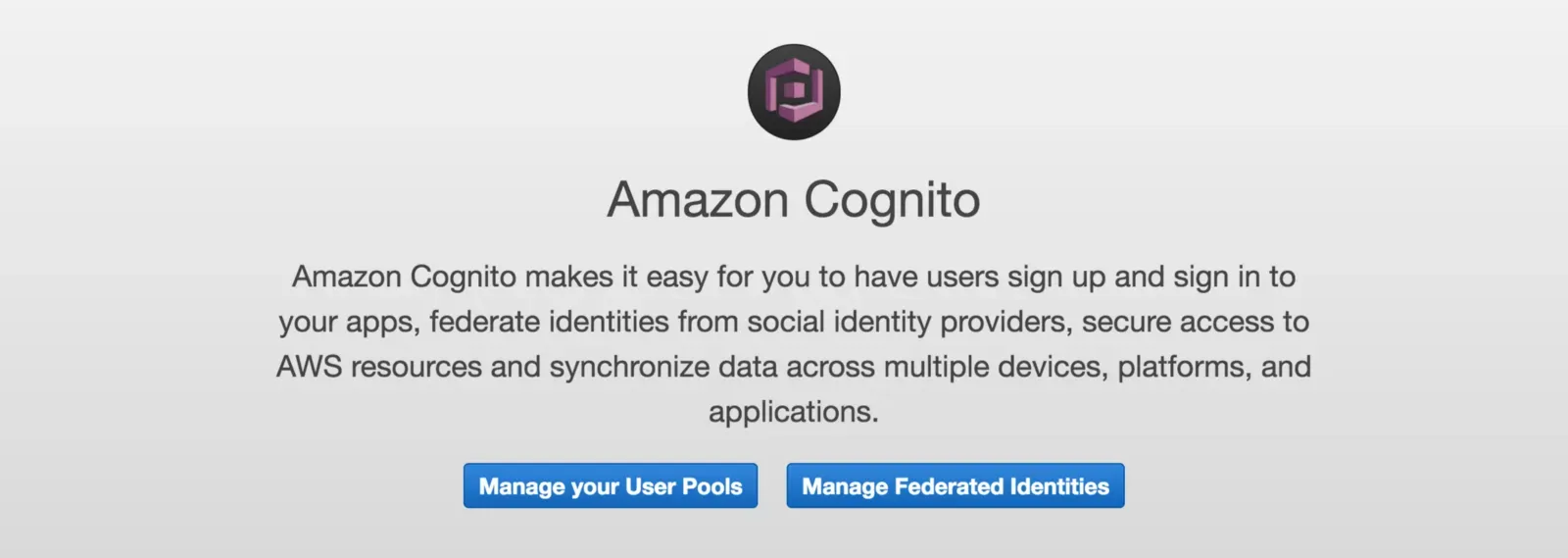
Create a custom login pool in AWS Cognito.
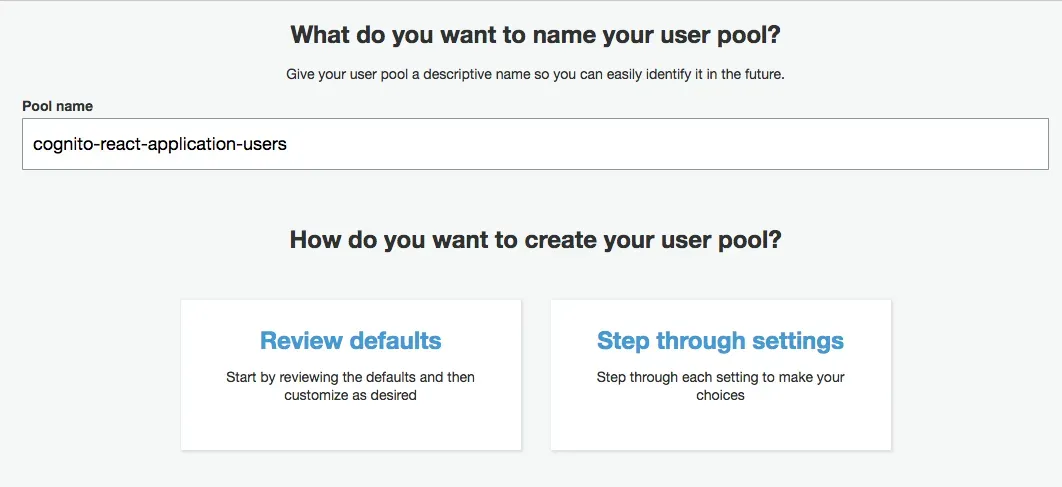
Enter a pool name (I used "cognito-react-application-users") and step through the settings.
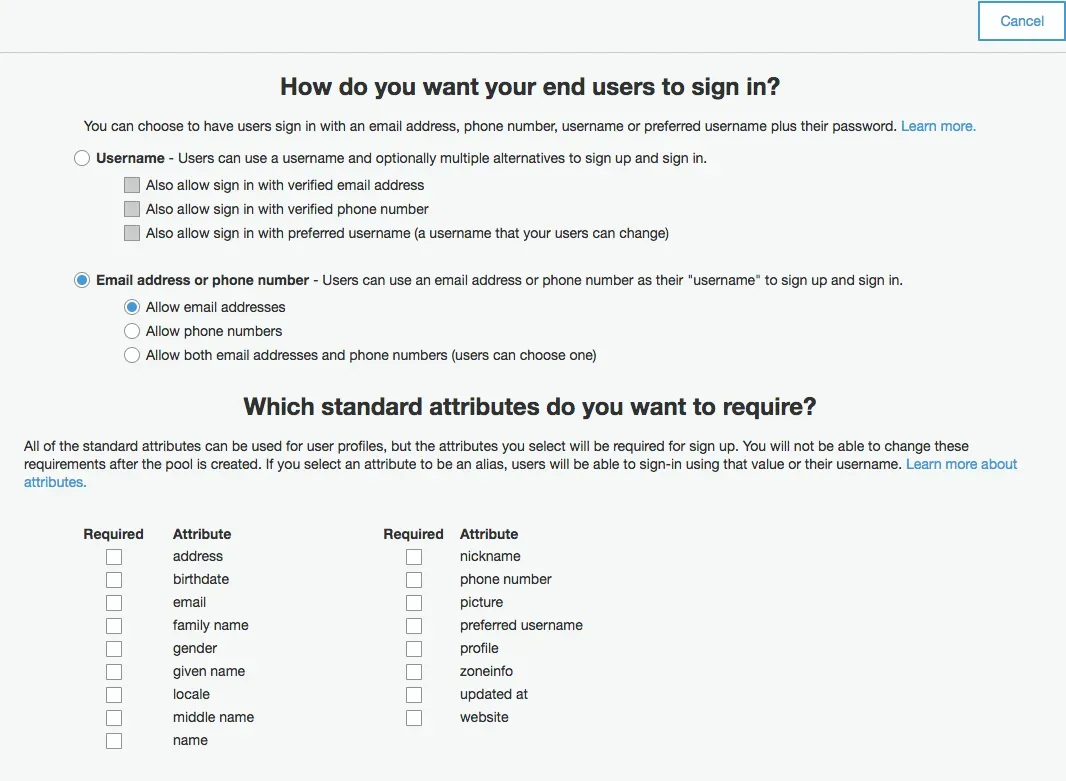
For this app, I only need email and password. You can add other attributes if your use case requires them.
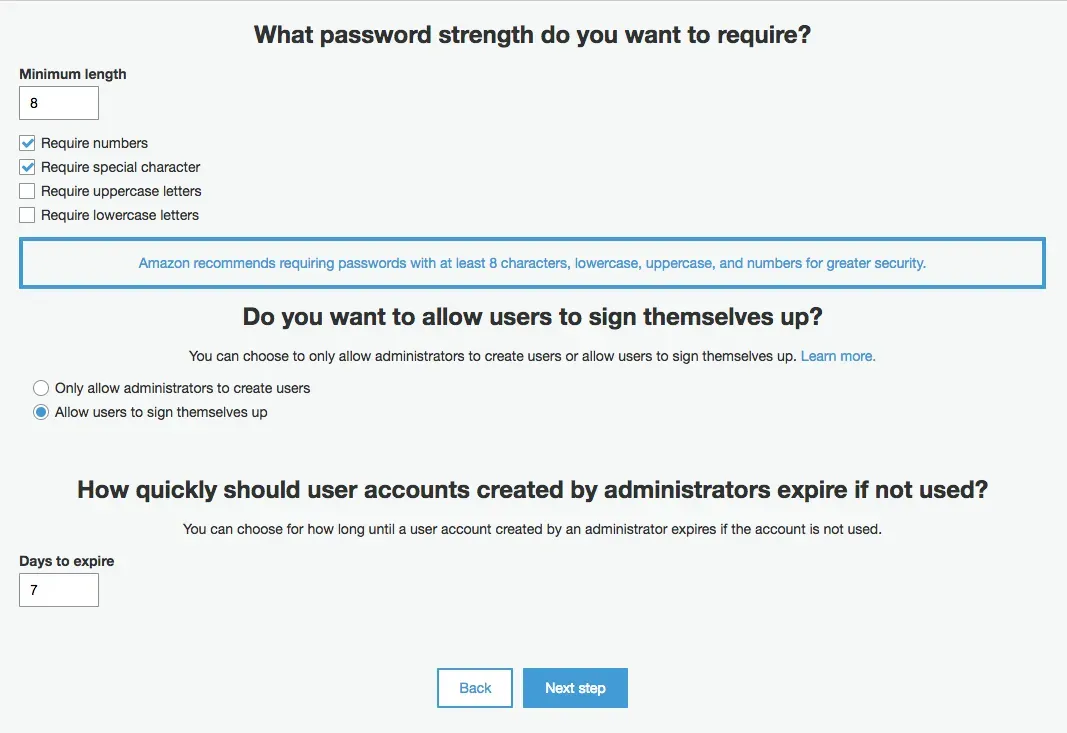
Configure password policy. I required special characters for this project.
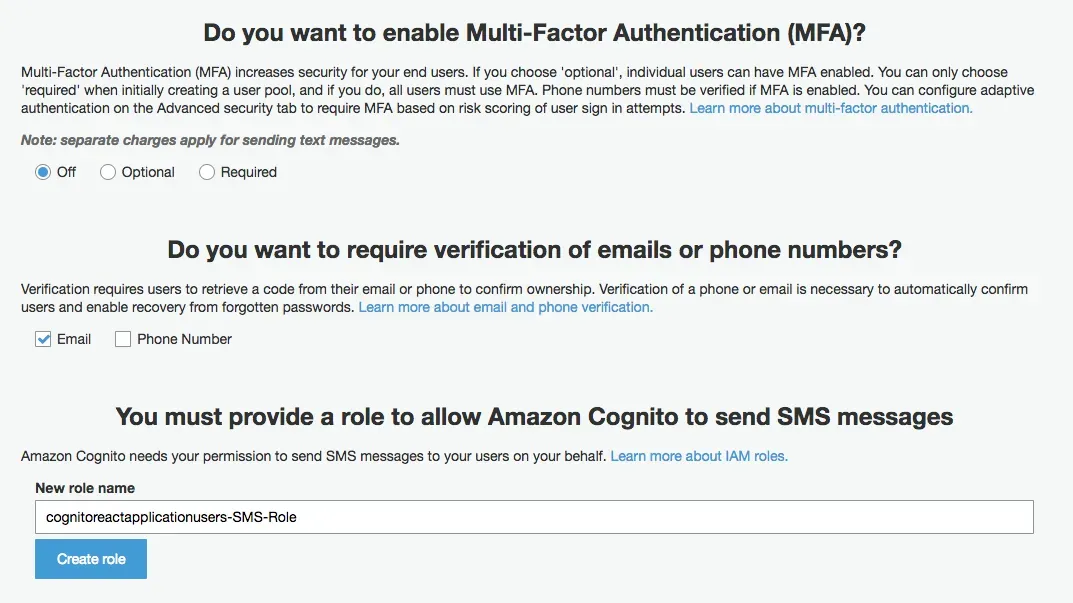
Enable email verification. If you need MFA (multi-factor authentication), users must provide a second factor like a phone number alongside their email.
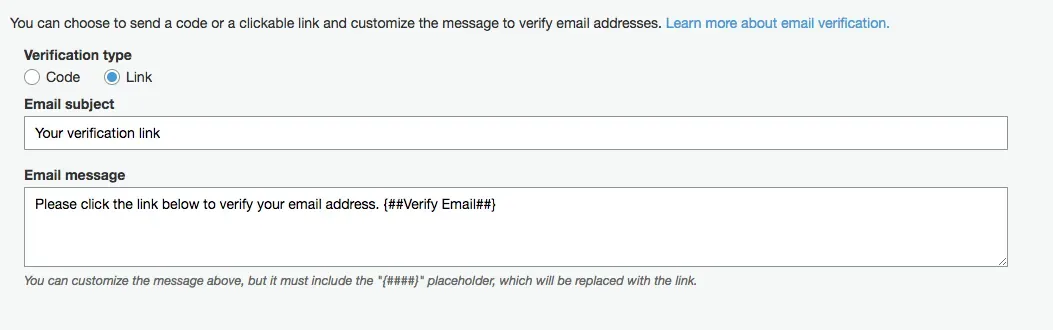
You can customize the verification email. The reply-to and from addresses work through AWS SES (Simple Email Service).
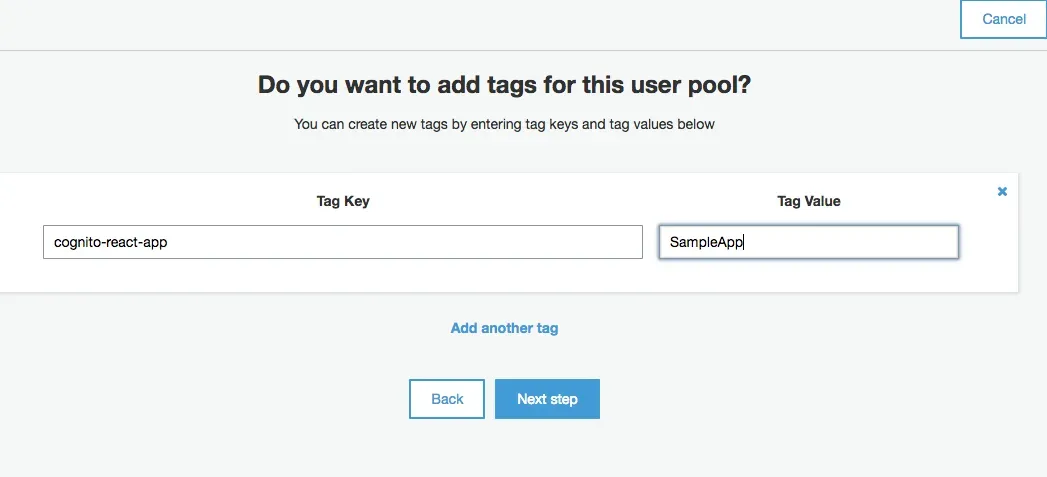
Tag your app for organization.
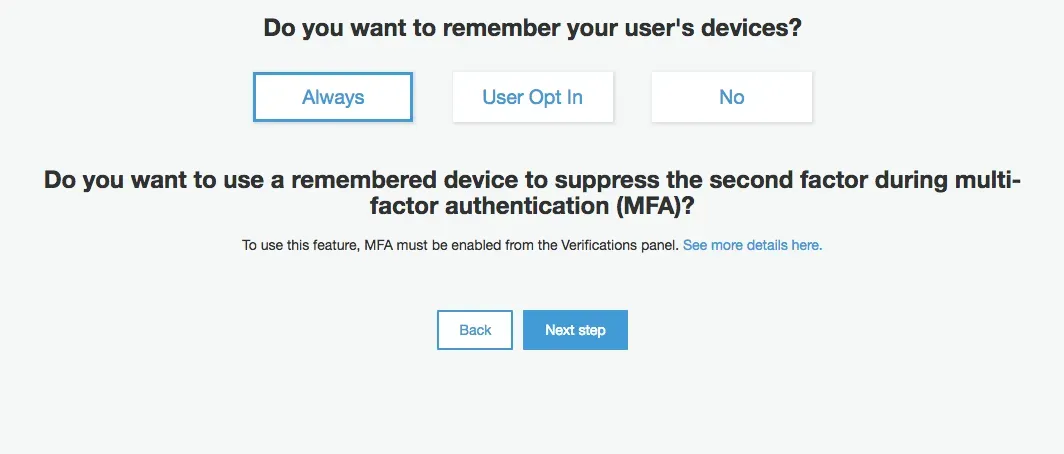
Set device remembering to "Always" for this demo.
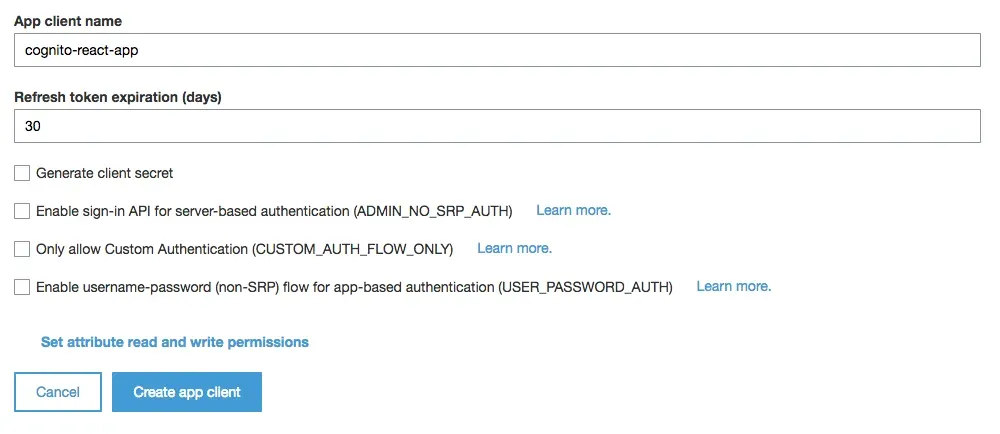
Important: Uncheck "Generate Client Secret." Since we're authenticating from the frontend, we can't safely store secrets in the browser. Client secrets are for backend-to-Cognito communication only.
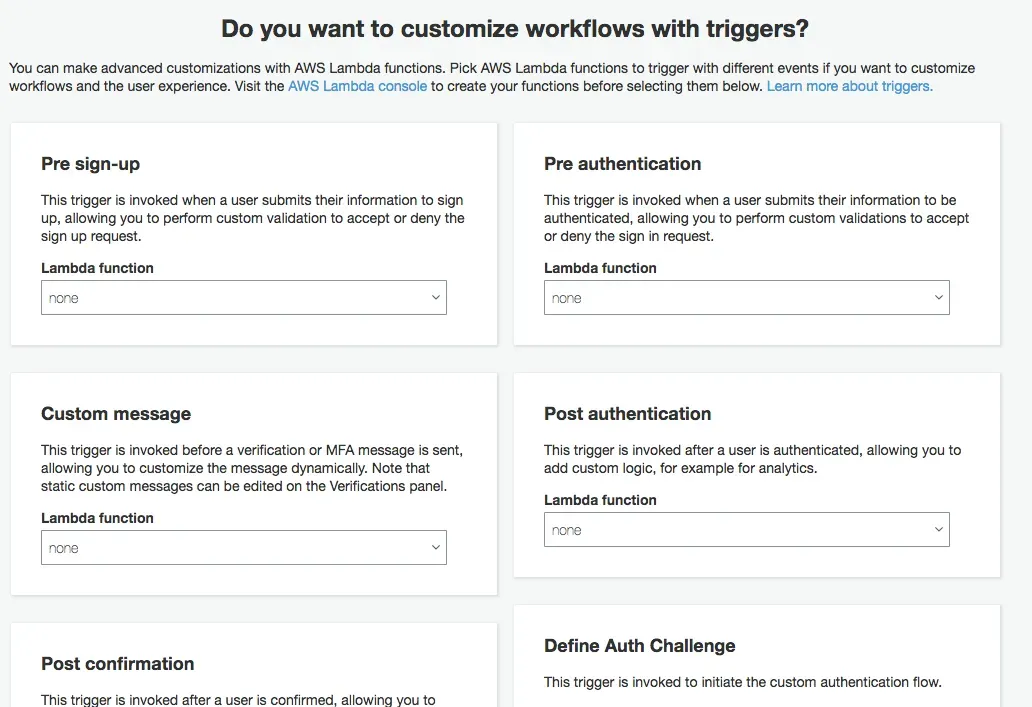
You can add Lambda triggers here for custom workflows — post-confirmation emails, pre-signup validation, token customization, etc.
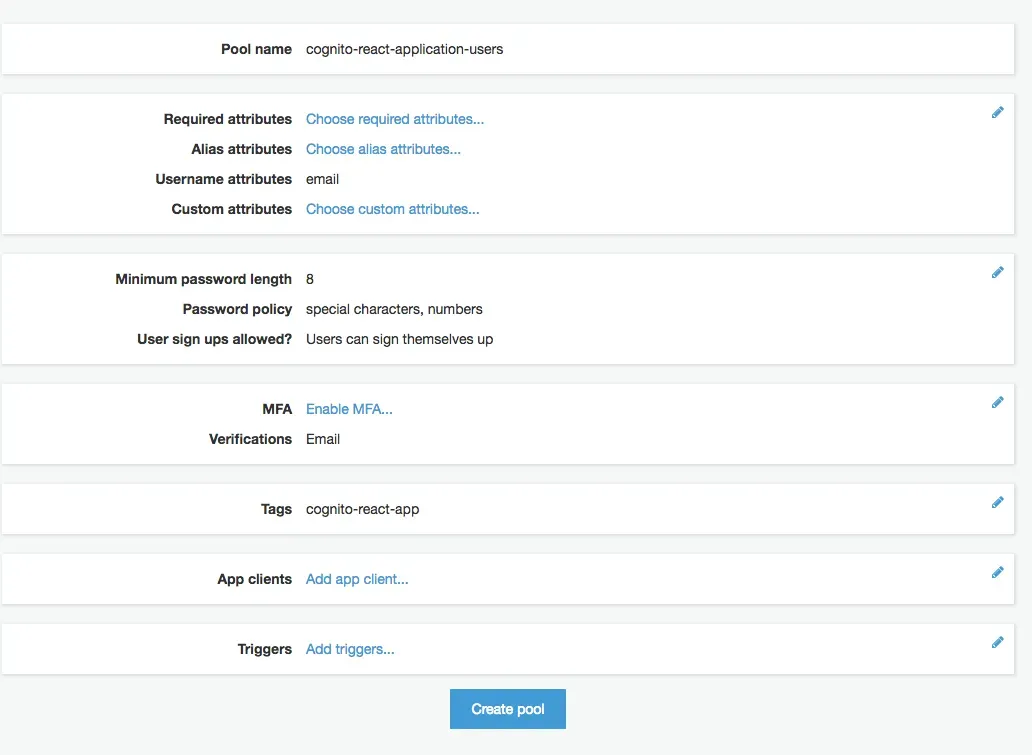
Review and confirm your configuration.
Wiring it into React
Install the AWS Amplify libraries:
npm install aws-amplify --save
npm install aws-amplify-react --save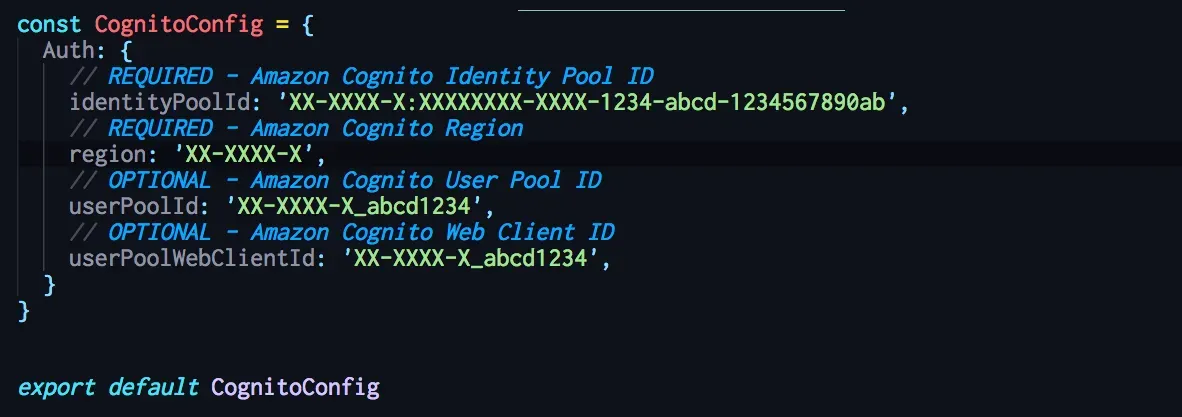
Configure Amplify with your Cognito settings:
import CognitoConfig from '../Configs/Cognito.config'
Amplify.configure(CognitoConfig)
The trade-off
Cognito removes the burden of building auth yourself. You get OAuth, MFA, and token refresh out of the box.
But you're locked into AWS. Migrating user pools to another provider isn't trivial. And Cognito's pricing can surprise you at scale — the free tier covers 50,000 monthly active users, but costs ramp up after that.
For most projects, the trade-off is worth it. Building secure auth from scratch is a liability. Letting AWS handle it is a decision you rarely regret.
AI Transformation for Organisational Leaders
For directors, heads of function and founders: eight live evening sessions with Ehsan Gazar and Anoosh Zeighami, ending with a one-page 2027 AI plan for your organisation, built on a real workflow and ready for your leadership team.
$1,495, or $1,045 with code EARLYBIRD until 23 Oct.
View the live cohortKeep reading
- TypeScript Anti-Patterns That Cost You Twice: Build Time, Runtime, and the Interview
- The Frontend Toolchain Is Now Written in Rust and Go. What That Means for You
- oxlint vs ESLint: Why I Replaced ESLint with oxlint
- SystemJS Is Dead. Native ESM Finally Won.
- Replace Axios with a Simple Custom Fetch Wrapper (Production-Ready Guide)
- Stop Shipping ChatGPT Wrappers. Ship an Agent in TypeScript, or Don't Bother.