Facade Design Pattern
I was integrating a video streaming feature. Playing a movie meant initializing a video decoder, setting up audio, loading subtitles, configuring bufferin...
23 Mar 2024
I was integrating a video streaming feature. Playing a movie meant initializing a video decoder, setting up audio, loading subtitles, configuring buffering, and starting the player. The calling code needed to know about five different subsystems and call them in the right order. Every page that played video duplicated this setup.
The Facade pattern hides all that behind a single, simple interface. One method call. The facade handles the orchestration internally.
Think of it like a hotel concierge. You say "I want to see a show tonight." The concierge checks availability, books tickets, arranges a taxi, and makes a dinner reservation. You don't coordinate with four different services — the concierge does.
class VideoPlayer {
  play(video) {
    console.log(`Playing video: ${video}`);
  }

  pause() {
    console.log("Pausing video");
  }
}

class SubtitleManager {
  addSubtitle(subtitle) {
    console.log(`Adding subtitle: ${subtitle}`);
  }
}

class MovieStreamingFacade {
  constructor() {
    this.videoPlayer = new VideoPlayer();
    this.subtitleManager = new SubtitleManager();
  }

  watchMovie(movie, subtitle) {
    console.log(`Streaming movie: ${movie}`);
    this.videoPlayer.play(movie);
    if (subtitle) {
      this.subtitleManager.addSubtitle(subtitle);
    }
  }

  pauseMovie() {
    this.videoPlayer.pause();
  }
}

const streaming = new MovieStreamingFacade();
streaming.watchMovie("Inception", "English");
streaming.pauseMovie();
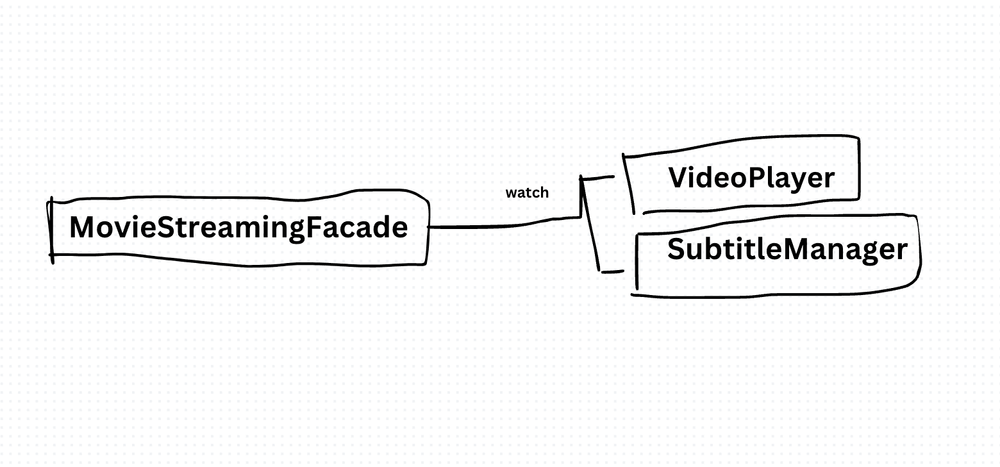
The client calls watchMovie(). It doesn't touch VideoPlayer or SubtitleManager directly. The facade coordinates both subsystems.
You can still access the subsystems directly if you need fine-grained control. The facade doesn't replace them — it provides a convenient default path.
The benefit: Simplified API for complex subsystems. Less coupling between client code and internal components. Easier onboarding — new developers learn one interface instead of five.
The cost: The facade can become a god object if you keep adding methods. It can also hide important complexity — if callers need to customize behavior, a too-thick facade gets in the way. And when the underlying subsystems change, the facade needs updating too.
I use facades for third-party library wrappers, complex initialization sequences, and any case where calling code shouldn't need to understand subsystem internals. If every caller needs different customization, a facade isn't the right tool — give them the subsystems directly.
AI Transformation for Organisational Leaders
For directors, heads of function and founders: eight live evening sessions with Ehsan Gazar and Anoosh Zeighami, ending with a one-page 2027 AI plan for your organisation, built on a real workflow and ready for your leadership team.
$1,495, or $1,045 with code EARLYBIRD until 23 Oct.
View the live cohortKeep reading
- Event Sourcing Checklist: When It Makes Sense & Common Pitfalls
- Error Boundary React Design Pattern
- Context API React Design Pattern
- Higher-Order Component (HOC) React Design Pattern
- Container Component React Design Pattern
- Best Practices for Structuring Express.js Applications with Prisma Design Pattern