Encapsulating Variables: Best Practices with TypeScript
A junior developer set the account balance to -500. Nothing stopped them. The field was public. No validation. The system happily processed a negative bal...
19 Apr 2024
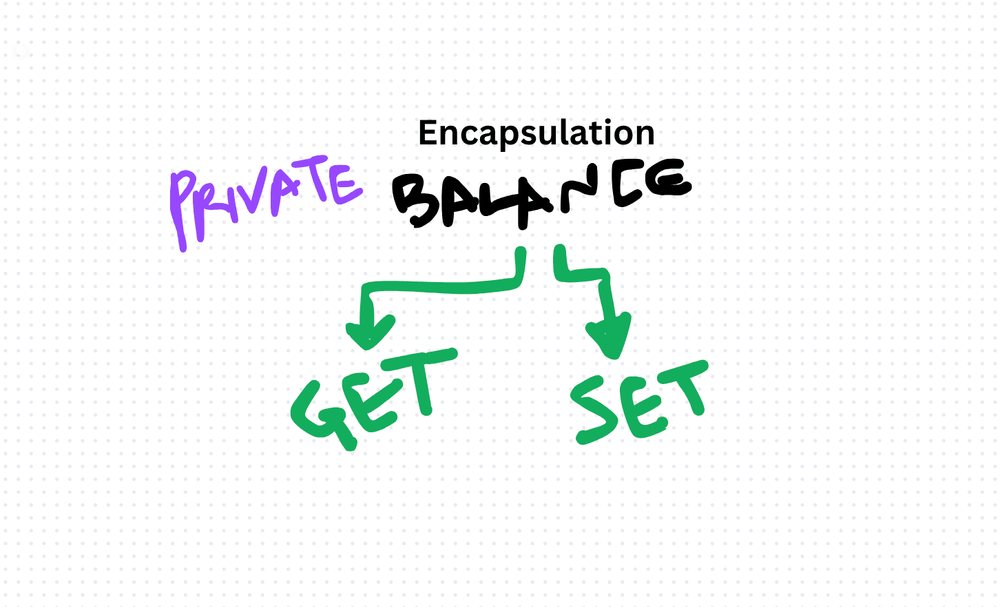
A junior developer set the account balance to -500. Nothing stopped them. The field was public. No validation. The system happily processed a negative balance and produced an invoice for negative dollars. The customer was confused. So were we.
Encapsulation prevents this. It controls who can access data and how they can change it. Instead of exposing raw fields, you wrap them with methods that enforce your rules.
What encapsulation does
Encapsulation bundles data with the methods that operate on it. The data is private — no one can touch it directly. Access happens through controlled entry points (getters and setters) that enforce invariants.
Think of it like a bank teller. You don't walk into the vault and grab cash. You go through the teller, who checks your identity and balance before handing over anything.
A practical example
class BankAccount {
  private balance: number;

  constructor(initialBalance: number) {
    if (initialBalance < 0) {
      throw new Error('Initial balance cannot be negative');
    }
    this.balance = initialBalance;
  }

  getBalance(): number {
    return this.balance;
  }

  deposit(amount: number): void {
    if (amount <= 0) throw new Error('Deposit must be positive');
    this.balance += amount;
  }

  withdraw(amount: number): void {
    if (amount <= 0) throw new Error('Withdrawal must be positive');
    if (amount > this.balance) throw new Error('Insufficient funds');
    this.balance -= amount;
  }
}

const account = new BankAccount(1000);
account.deposit(500);
account.withdraw(200);
console.log(account.getBalance()); // 1300
// account.balance = -500; // Compiler error — can't access private field
The balance field is private. You can't set it to -500. You can't set it at all. You go through deposit() and withdraw(), which enforce the rules.
When to encapsulate
Any data with rules. If a value can't be negative, can't be null, must match a pattern, or has any constraint — encapsulate it.
Mutable state. Public mutable fields are an invitation for bugs. If multiple parts of your code can change a value, encapsulate it so changes go through one controlled path.
Internal implementation details. If the internal representation might change (say, from a number to a decimal library), encapsulation lets you swap it without affecting callers.
TypeScript's access modifiers
private: Only accessible within the class. Use this for internal state.protected: Accessible within the class and its subclasses. Use sparingly.public: Accessible from anywhere. This is the default — and the most dangerous for mutable data.readonly: Can be set in the constructor but not changed afterward. Great for immutable configuration.
The trade-off
Encapsulation adds boilerplate. Getters and setters are more code than a public field. For simple data-transfer objects with no invariants, public readonly fields are fine — you don't need a getter for a field that never changes and has no rules.
The cost of encapsulation is verbosity. The cost of not encapsulating is invalid state. For anything with business rules, encapsulate every time.
AI Transformation for Organisational Leaders
For directors, heads of function and founders: eight live evening sessions with Ehsan Gazar and Anoosh Zeighami, ending with a one-page 2027 AI plan for your organisation, built on a real workflow and ready for your leadership team.
$1,495, or $1,045 with code EARLYBIRD until 23 Oct.
View the live cohortKeep reading
- DI, SOLID, and the Fundamentals That Actually Matter
- Coding Principles for Better Code Quality
- Right Balance: Best Practices for Code Comments in TypeScript
- Best Practices for Writing Isolated Tests in TypeScript
- Meaningful Test Concepts: Best Practices for Writing Tests in TypeScript
- Open-Closed Principle (OCP) Best Practices in TypeScript: Guidelines and Examples